Investigate with Splunk 5.8


The Essential Context Layer in Your Splunk Environment
Context, speed, and precision that helps investigators find what they’re after more quickly is exactly why we launched IrisQL (Iris Query Language), a powerful, text-based evolution of Iris Investigate’s Advanced Search into a structured, readable format. Because a single domain is often just the tip of an iceberg hosted alongside hundreds of other hidden threats, rapid searching must be paired with deep infrastructure context. To bridge this gap, IrisQL’s search capabilities are complemented by our IP Risk and IP Hotlist feeds, which contain high-risk hosting IP addresses as well as the enrichment data behind them.
Today, we're excited to bring IrisQL and our IP feeds to the DomainTools App for Splunk and Splunk Enterprise. The app now includes a custom search command with IrisQL as a Search Processing Language (SPL) macro within Splunk, enriched by live data delivery on high-risk hosting IP addresses. With these enhancements your organisation can…
- Leverage single-query detections to expose and defend against widespread attack campaigns
- Build high-confidence IP block lists, tailored to your risk profile
- Quickly detect and respond to IP address risk / attribute profiles that match C2 characteristics you define
- Copy and paste IrisQL queries made in Splunk and share them directly. IrisQL works in any text editor, ticketing system, or collaboration tool
- Search historical email addresses, registrant names, and free text or search specifically against RDAP or WHOIS data right within Splunk
By combining these search and reporting capabilities with the passive DNS data in our Farsight DNSDB app for Splunk, you can confidently map complex relationships between host IPs, Fully Qualified Domain Names (FQDNs), and entire netblocks.
IrisQL Searching in Splunk Enterprise Security
This example search
| dtirisinvestigate irisql="# IrisQL-1.0\nDOMAIN CONTAINS \"phishing\""looks for phishing infrastructure in the last 24 hours within Splunk Enterprise security using IrisQL’s structured, readable queries in plain text. In addition to Splunk searching, these queries work in any text editor, ticketing system, or Slack instance that you have set up to connect to the DomainTools Iris Investigate API.
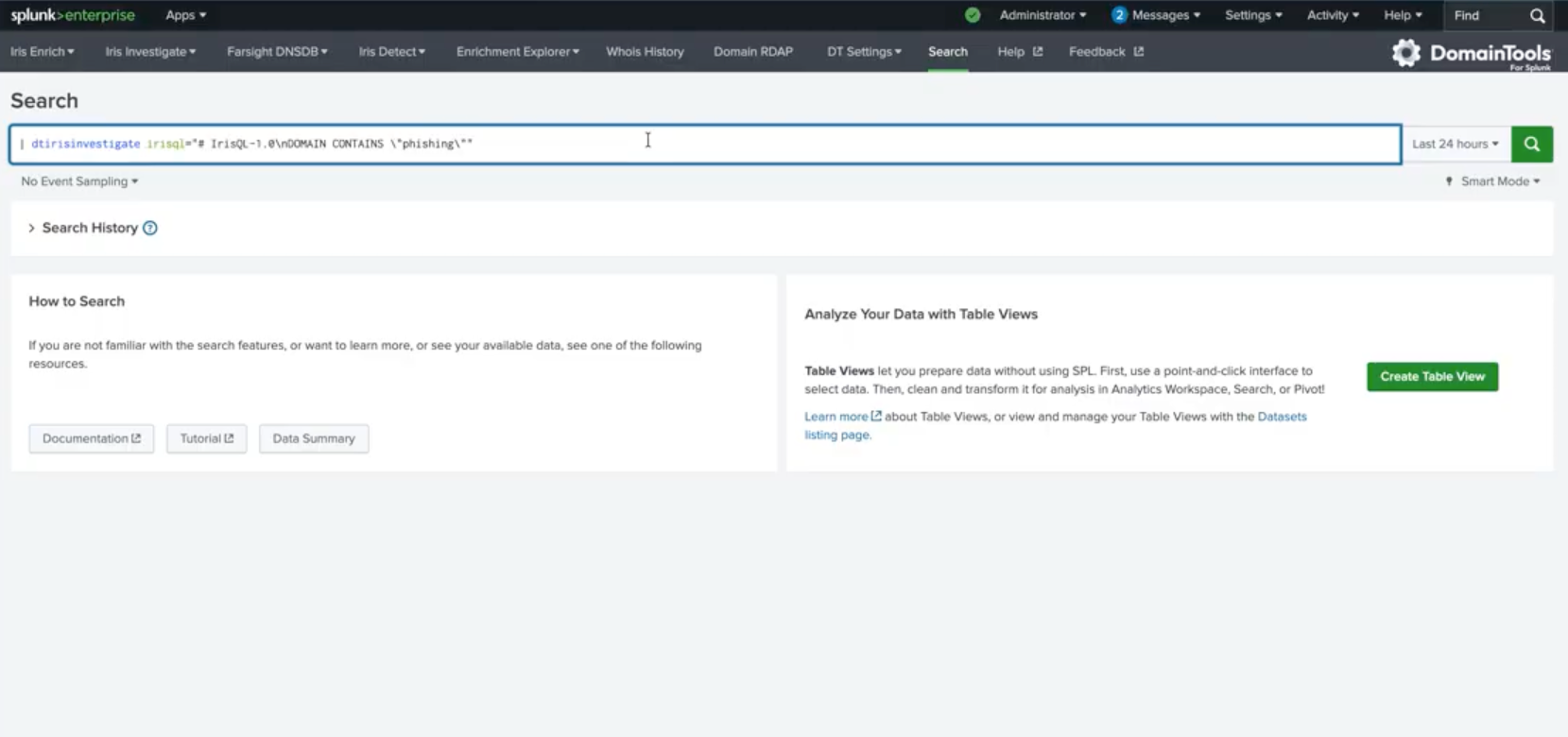
All queries must begin with # IrisQL-1.0. Strings use double quotes. Numbers and booleans (true/false) have no quotes. Arrays use square brackets: ["val1", "val2"]. The result displays 500 events, now conveniently in one place.
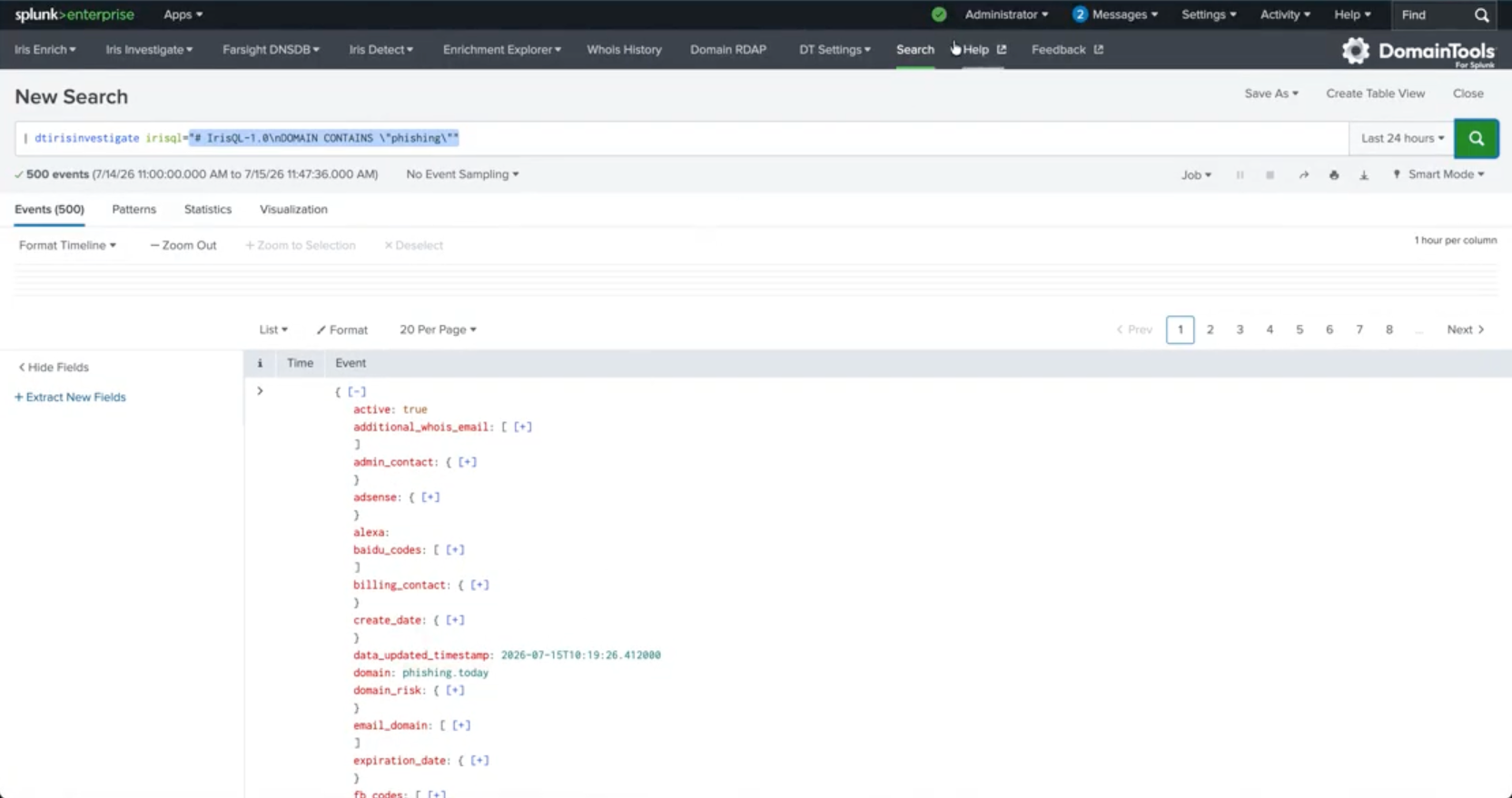
Looking at all of these events collectively can be an incredibly useful starting point for pivoting across phishing infrastructure. One quick way to group these domain alerts is by resolving them to their hosting IP, since many of these domains generated in the last 24 hours will likely share IPs or proximity to one another.
Resolve each domain to its hosting IP
Use the Splunk stats command to group the discovered phishing domains by hosting IP addresses.
stats
    count as event_count
    values(domain) as hosted_phishing_domains
    max(en_risk_score) as max_domain_risk
    by en_ip_address_raw
Then sort these grouped IPs by volume of phishing activity to start with the worst of the worst.
sort -event_count
Use DomainTools IP Hotlist Feed to Identify Candidates for Immediate Blocking
The Real-Time IP Hotlist feed focuses on the highest-risk hosting IP addresses. For an IPv4 to appear on the IP Hotlist, it must:
- Have more than 50% of domains on the IP address have a proximity score of 70+ OR Threat Profile score of 90+
- Have appeared in pDNS activity in the previous 24 hours
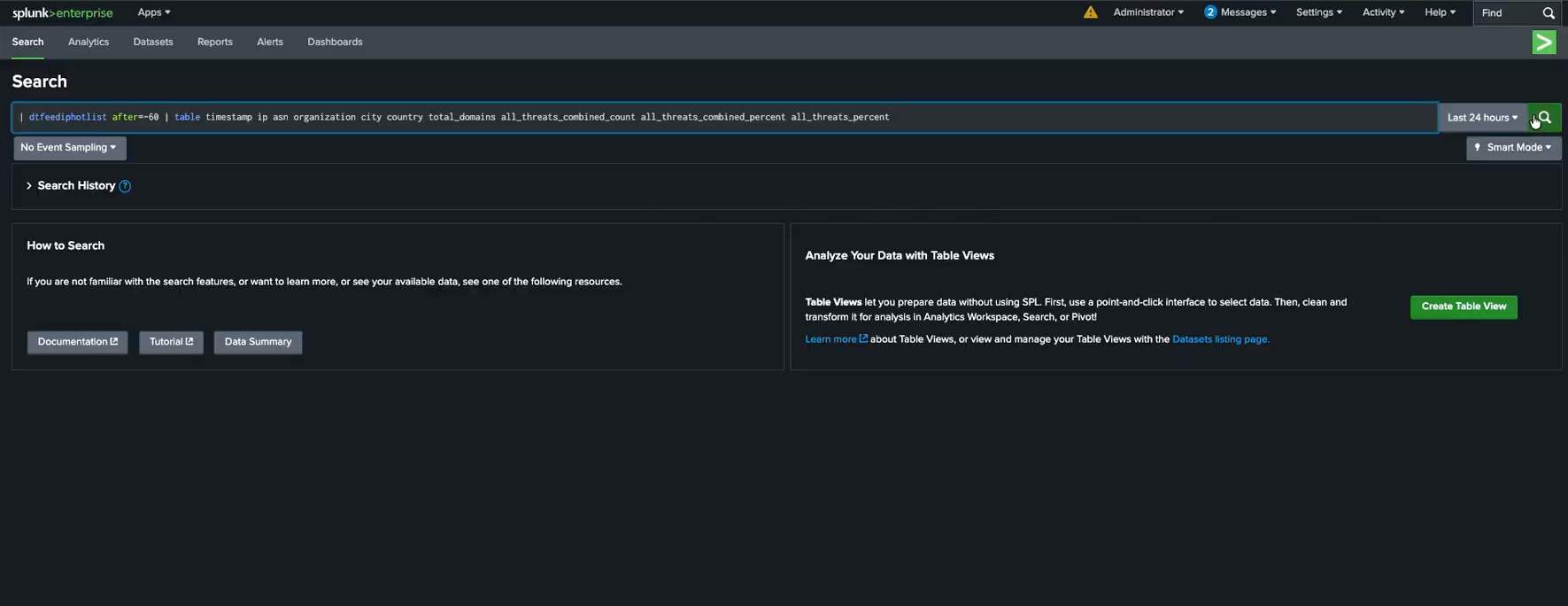
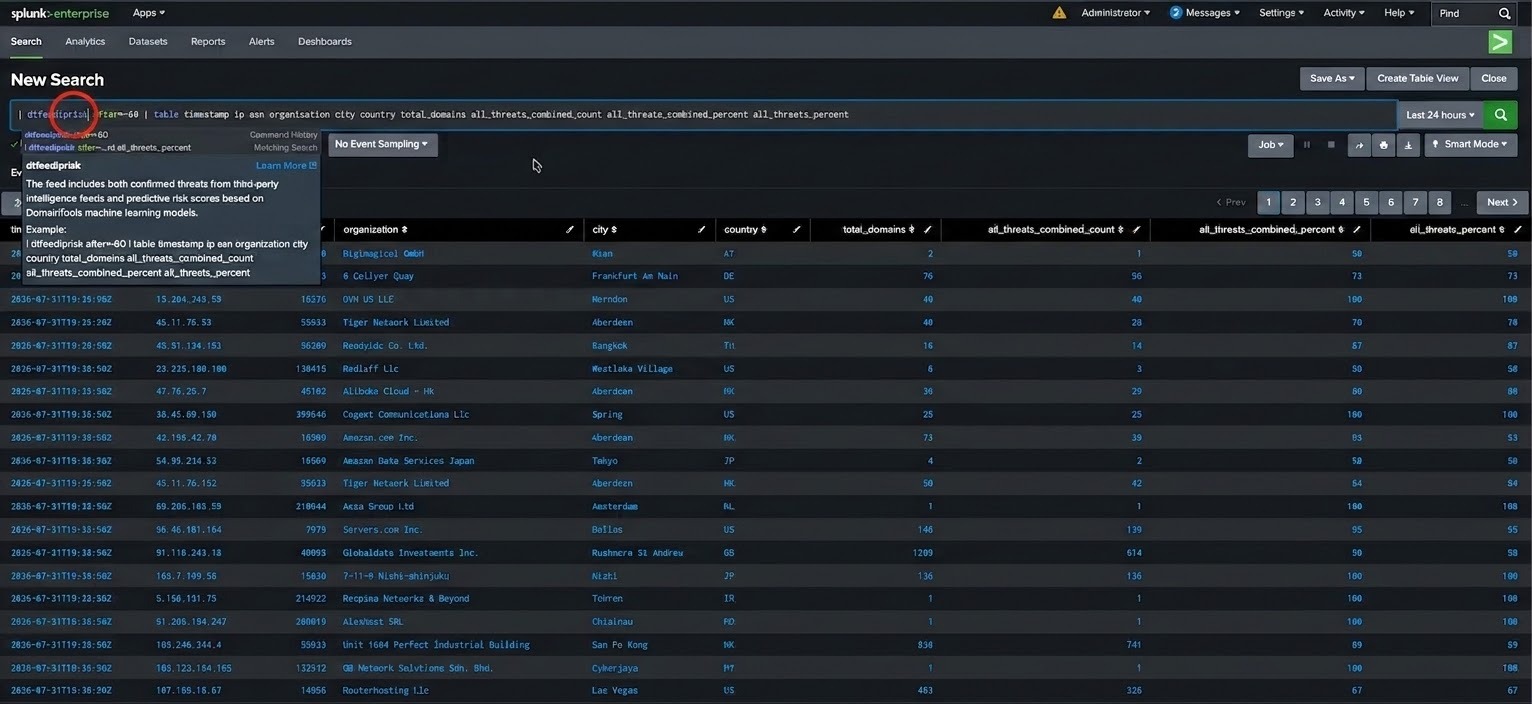
When searching across the IP Hotlist feed in Splunk Enterprise using
| dtfeediphotlist after=-60 | table timestamp ip asn organization city country total_domains all_threats_combined_count all_threats_combined_percent all_threats_percent, events, time of activity, and other identifiers can be populated like in the example below which can then be exported for immediate mitigation.
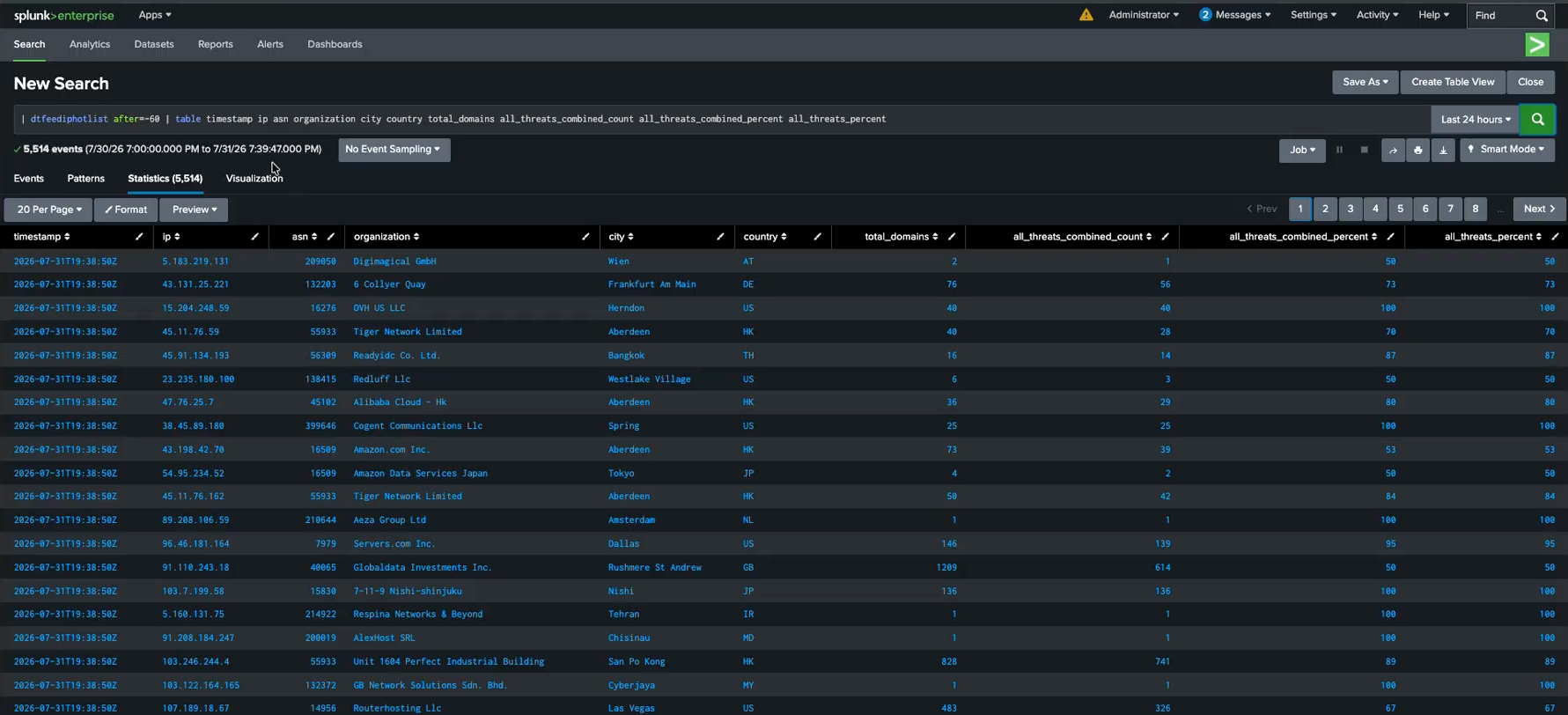
Once addressing the severely grouped IPs, the IP Risk feed will provide the context needed to triage the remaining alerts.
With the Feed API, you can also filter the IP feeds in Splunk based on the ratio of bad-to-total domains, optimally balancing your organization’s risk reduction needs, tolerance for false positives, and ability to handle the data volume.
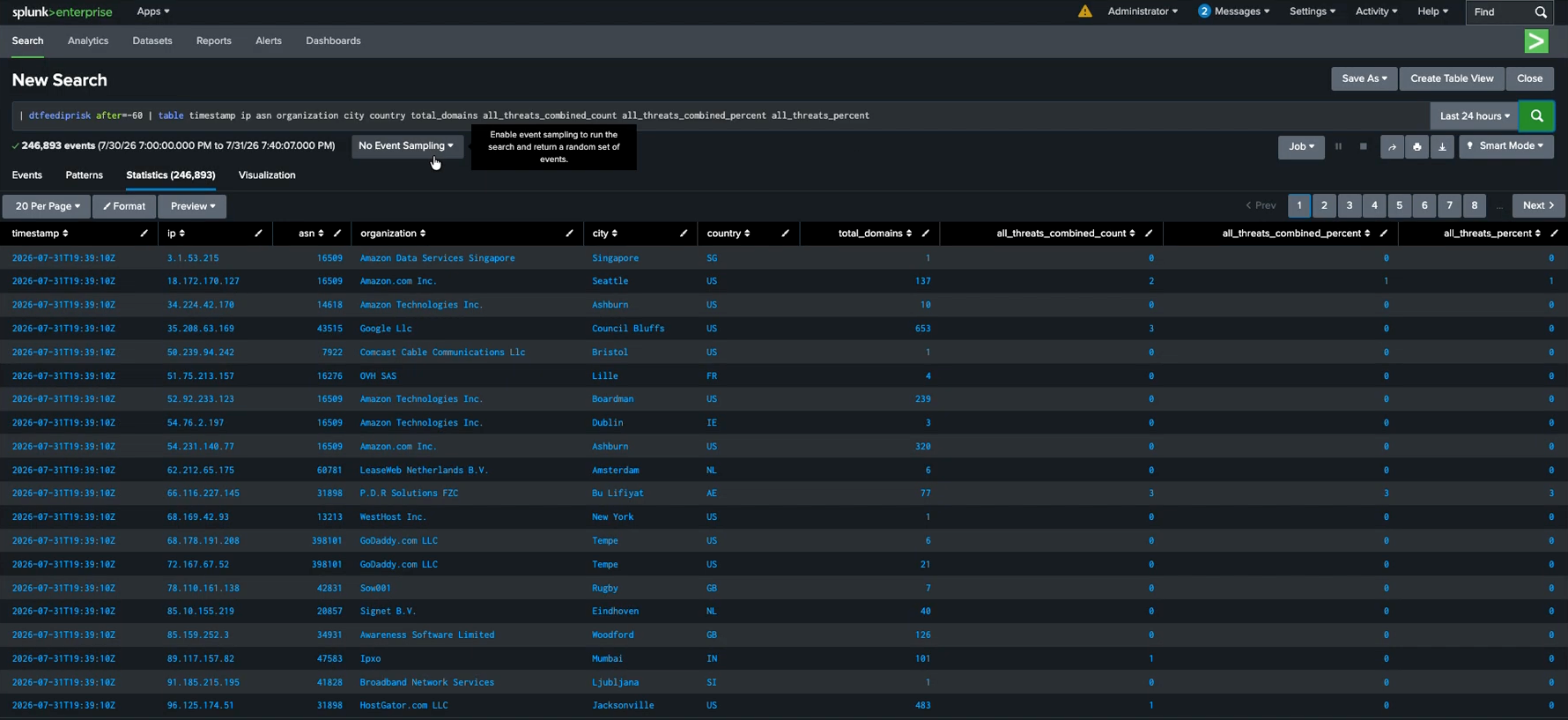
The results are significantly more data that can now be used to split your grouped IPs into two threat profiles:
- IPs hosting 15 or more domains with 80% scored high for phishing
- Traffic to IPs grouped here can be confidently blocked. Even though the remaining 20% domains have not yet appeared on a traditional blocklist, there is a high likelihood that the sites are or will be used for malicious purposes; it’s safe to block traffic to the entire IP address.
- IPs with reputable hosting providers that need to be triaged.
Combining the IP Risk and IP Hotlist feeds with your group search ensures quick identification and response to high volume campaigns without causing several false positives. IP Hotlist for the worst of the worst and then apply IP Risk to evaluate those that did not make it onto the Hotlist but might still be potentially worth flagging / triage.
Autonomous Security Runs on Context
Trigger playbooks in Splunk the moment an IP enters the Hotlist. Auto-block at the firewall, auto-create incidents, and enrich every alert with full hosting context. No analyst triage required for high-confidence blocks.
By pairing IrisQL's precise search capabilities with the IP Risk and IP Hotlist feeds, security teams can instantly map out the infrastructure most relevant to their organization. The resulting alerts can then be handed off from Splunk to Splunk SOAR (or another orchestration tool) for immediate, hands-free containment. Automation without context is a liability for mistakes. It is with the deep, live intelligence of the IP Risk and IP Hotlist feeds that your automated playbooks can make safe decisions with the exact context needed to distinguish between a shared public server and dedicated threat infrastructure.