
DNSDB App for Splunk User Guide

Overview
The Farsight (now a part of DomainTools) DNSDB for Splunk App℠ gives organizations of all sizes broad analysis and investigation capabilities. The primary purpose of the Farsight DNSDB for Splunk application is to add contextual information and situational awareness from DNSDB to the organization's internal event data as managed in Splunk.
DNSDB is the most comprehensive database of passive DNS data about howIPs, domains, and Internet infrastructures interconnect and evolve. Byaugmenting an organization's internal log data with real-time InternetDNS information, security teams will be better able to analyze threatsand adversary infrastructure and capabilities. This will enable them toidentify, detect, correlate and take action on the intelligence.
All it takes is a simple click in Splunk. With that single click, userscan learn the history and infrastructure associated with a suspiciousdomain name or suspicious IP address, and by doing so, gain criticalinsights into their event data. Users can also add this capability totheir existing workflow to automatically pre-populate contextualinformation for all IPs and domain names visited by any of their hosts.
With its global array of sensors, Farsight Security receives more than200,000 observations per second, observations which illuminate mostmaterial changes to the global DNS. Farsight DNSDB App for Splunk usersget those real-time changes the same minute they are first observed.With more than 13 billion domains and hostnames collected since 2010 –all indexed for easy searches – DNSDB enables threat intelligence teams,security analysts and incident responders to search for specific hostsor subdomains within a domain and gain immediate insight intosubordinate names under base domains.
About Farsight Dnsdb For Splunk
- Author: Farsight Security, Inc.
- App Version: 1.1.0
- Vendor Products: Farsight Security DNSDB
- Has index-time operations: False
- Create an index: False
- Implements summarization: False
Farsight DNSDB for Splunk allows a Splunk® Enterprise user to run DNSDBqueries from an included dashboard, as well as through search commands.
Scripts And Binaries
- dnsdb_query.py: Common python module for performing DNSDB queries.
- dnsdb_command.py: Splunk custom command for performing DNSDB queries on hostnames/IP addresses.
- dnsdb_ratelimit.py: Splunk custom command which retrieves query limit information.
- dnsdb_lookup.py: External lookup for querying a set of targets against DNSDB.
- Note: please see the section titled dnsdb lookup before using this.
- dnsdb_validateip.py: Internal script used by dashboard to validate IP addresses.
- dnsdb_flushcache.py: Internal script used by a daily scheduled search to remove outdated responses from the KV store.
Release Notes
About This Release
Version 1.1.0 of Farsight DNSDB for Splunk is compatible with: SplunkEnterprise versions: 7.0, 6.6, 6.5, 6.4, 6.3, 6.2
- CIM: N/A
- Platforms: Platform independent
- Vendor Products: Farsight Security DNSDB
- Lookup file changes: N/A
Features
Version 1.1.0 is the current release of Farsight DNSDB for Splunk. Itincludes the following features:
- Support for various methods of querying DNSDB API:
- External lookup
- Custom command
- Dashboard
- Workflow action to query any field against DNSDB
- Configurable alerts when API key is nearing their daily query quota.
Third-Party Software Attributions
Version 1.1.0 of Farsight DNSDB for Splunk incorporates the followingthird-party software or libraries.
- dnsdb-query: https://github.com/dnsdb/dnsdb-query/
Dnsdb Lookup Considerations
Each DNSDB lookup done takes time to complete. Every event that ispassed to it will generate a query to DNSDB. A search for over a fewthousand events may take a moment to complete.
Farsight DNSDB API access is capped at a contracted number of queriesper day. Every event passed to the DNSDB lookup will count as a querytowards the user's daily quota. Please be mindful of this when using thelookup functionality so as to not accidentally exhaust your daily querylimit. (Should this happen on a regular basis, the query limits can bechanged to meet the needs of your threat intelligence team).
Getting Started
Pre-Installation Checklist
Before installing Farsight DNSDB App for Splunk, please ensure:
- Your Search Head can access api.dnsdb.info via HTTPS (TCP port 443). If you are a Farsight DNSDB-Export customer, then your Search Head needs to access your local dnstli server.
- You have administrative privileges within Splunk (our app requires particular permissions).
Software Requirements
Farsight DNSDB for Splunk can run on Windows, OS X, or Linux.
Farsight DNSDB for Splunk app has no specific additional hardwarerequirements.
Splunk Enterprise System Requirements
Because this add-on runs on Splunk Enterprise, all of the SplunkEnterprise system requirements apply.
Installing Farsight Dnsdb App For Splunk
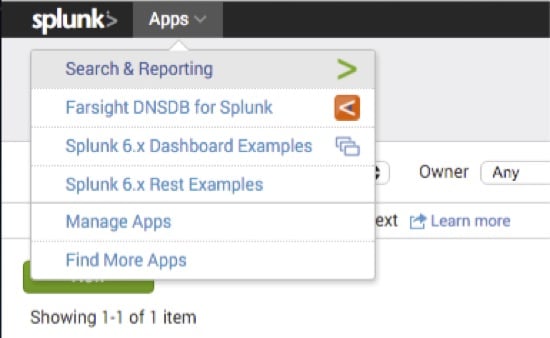
Install the application within Splunk by browsing to Apps > Manage Apps > Find more apps online,
and searching for Farsight DNSDB.
Or, download the package from Splunkbase at: https://splunkbase.splunk.com/app/3050 and then upload it to your Search Head.
Follow the on-screen installation steps and then restart Splunk.
To install and configure this app on your supported platform, follow these steps:
- Download app from Splunkbase located at: https://splunkbase.splunk.com/app/3050
- Place app.tar.gz somewhere on your Search Head
- Install using splunk command: SPLUNK INSTALL APP /PATH/TO/APP.TAR.GZ
- Set the DNSDB API key provided by Farsight Security, Inc. This can be done in Splunkweb by clicking Set up on the Manage apps page, or through the command line by editing dnsdb.conf.
Here are detailed, stepwise instructions to initially set up theFarsight DNSDB for Splunk app.
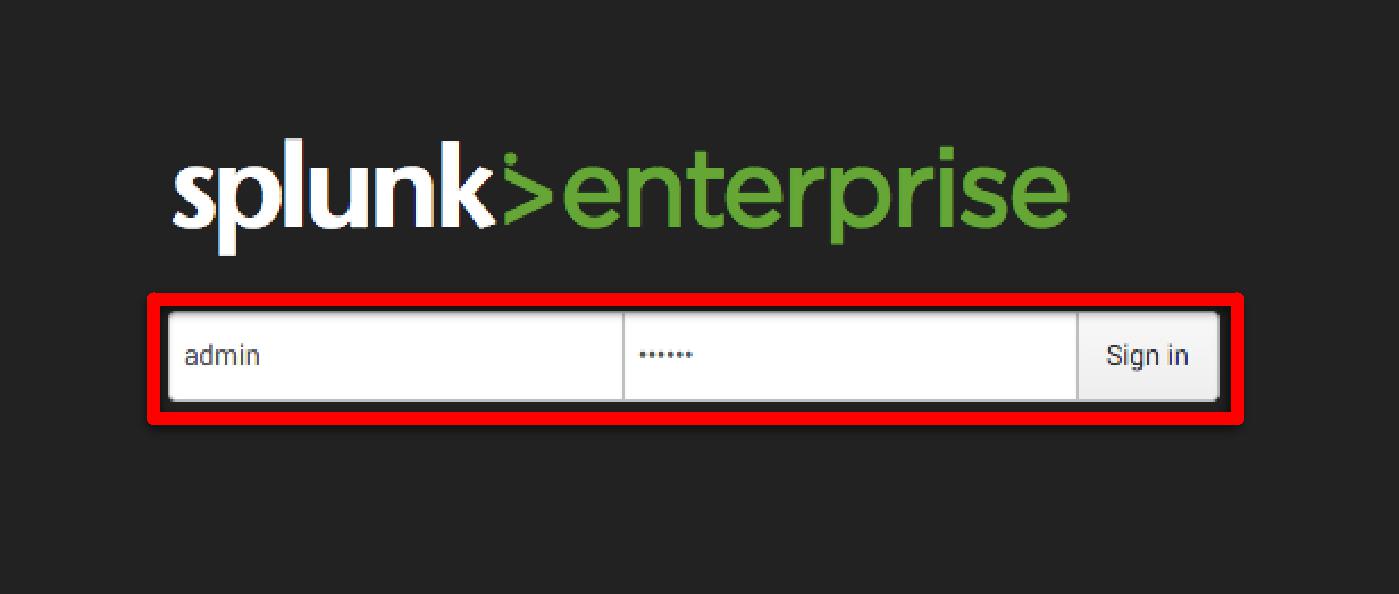
Login to your Splunk Enterprise instance as the administrator user.
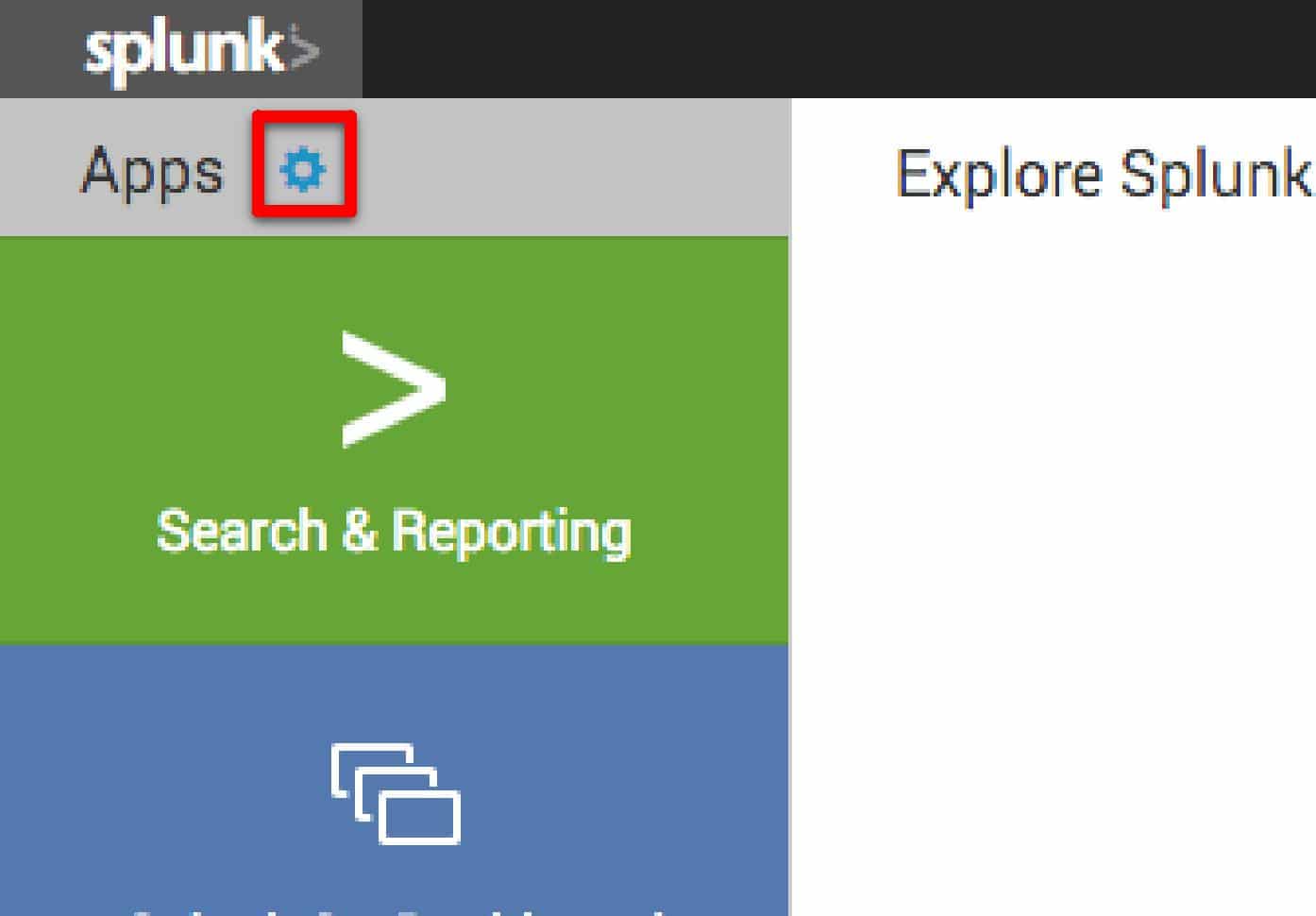
From the entry screen, select the gear icon next to Apps.
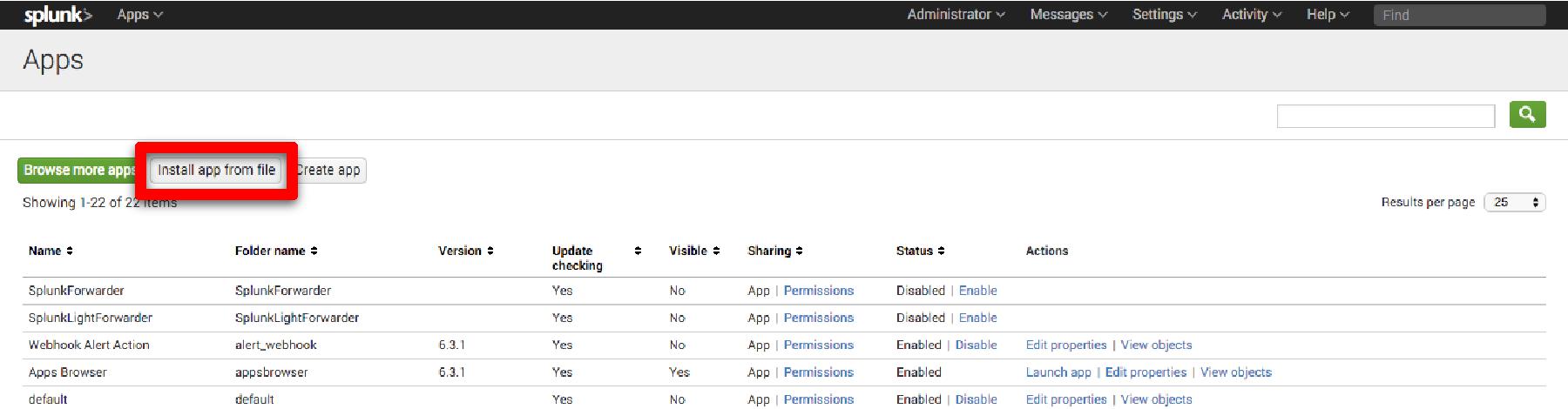
Click the [Install app from file] button.
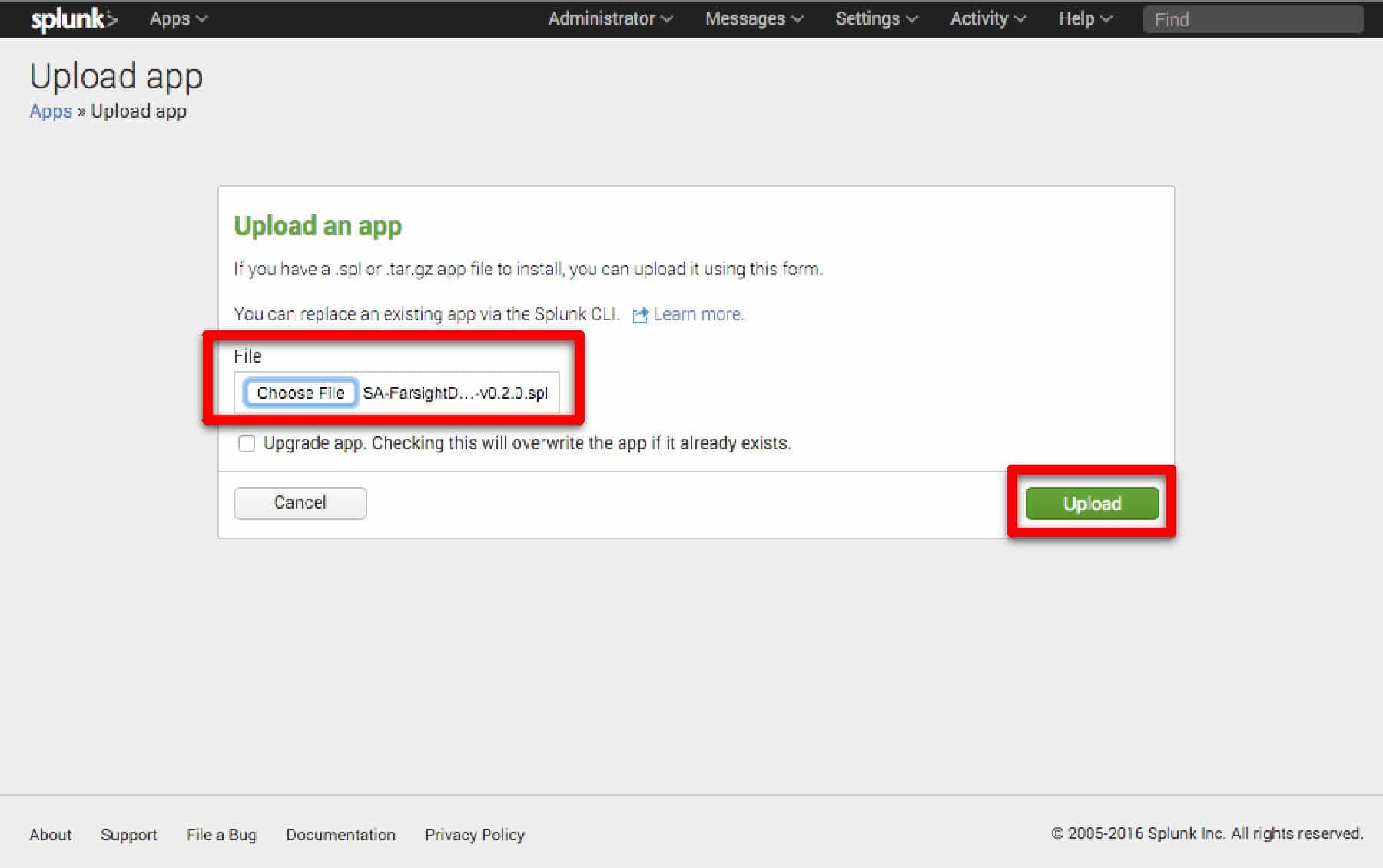
Click the [Choose File] button and select the SPL file provided by Farsight. Click [Upload]
Installation of the Farsight DNSDB App will require a restart of Splunk. If you wish to restart now, click [Restart Splunk].
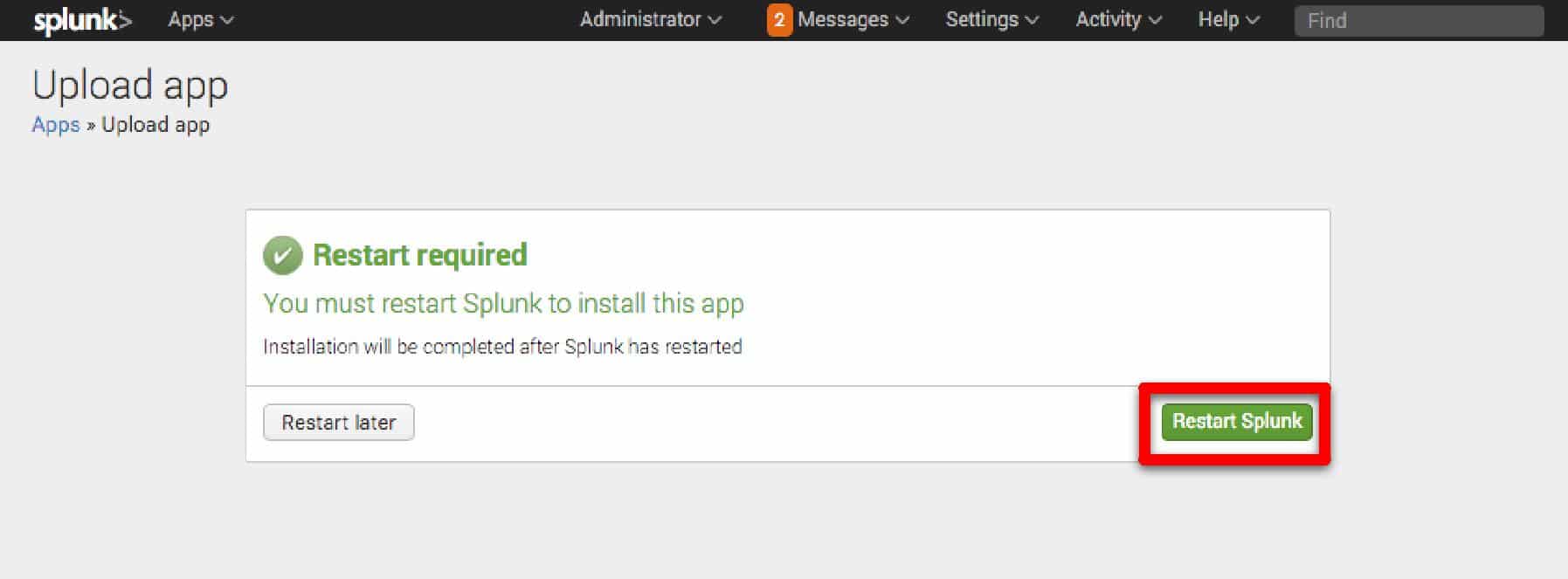
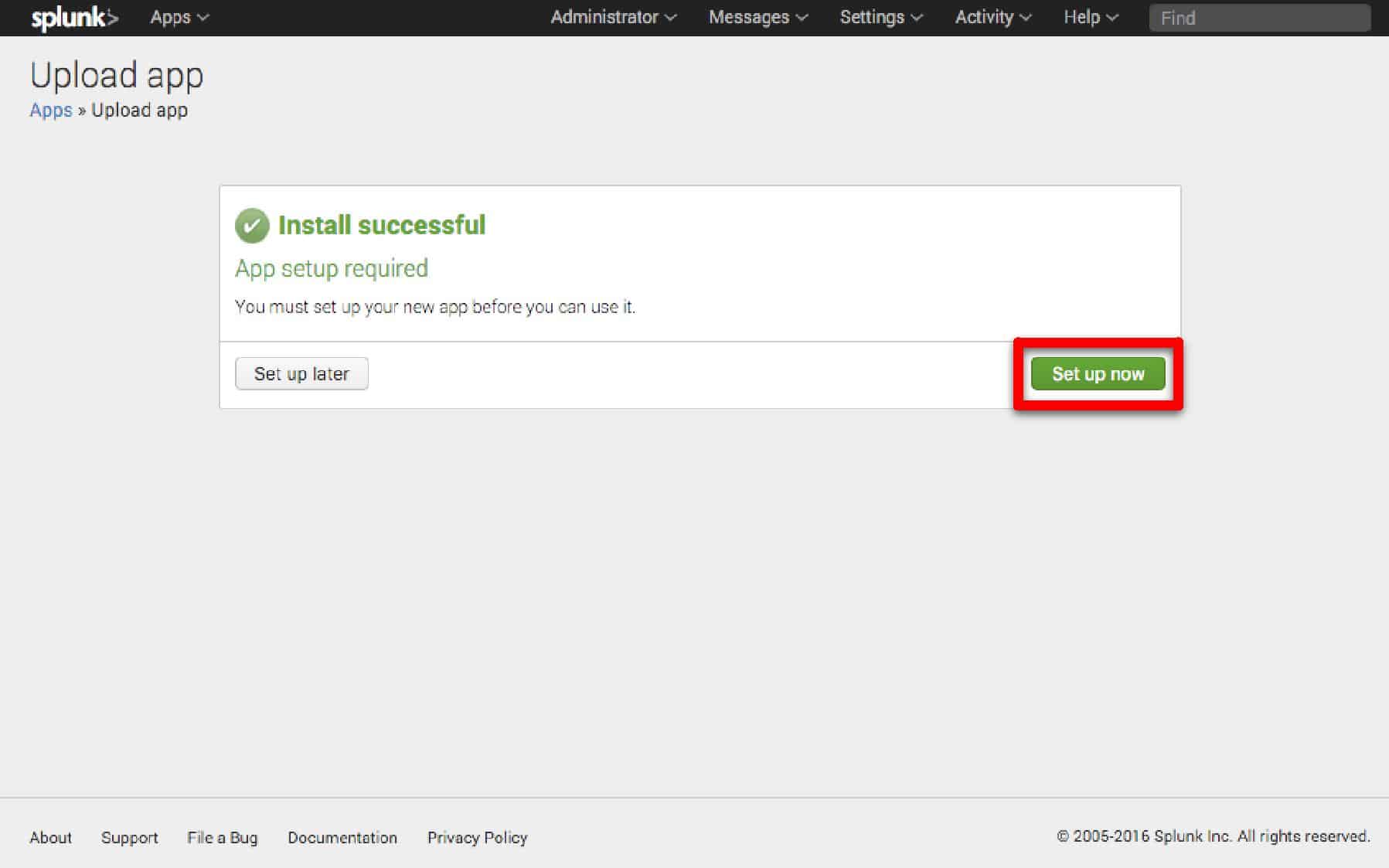
Once the restart is complete, login as the Administrator user again.
Click [Set up now] to configure the Farsight DNSDB App.
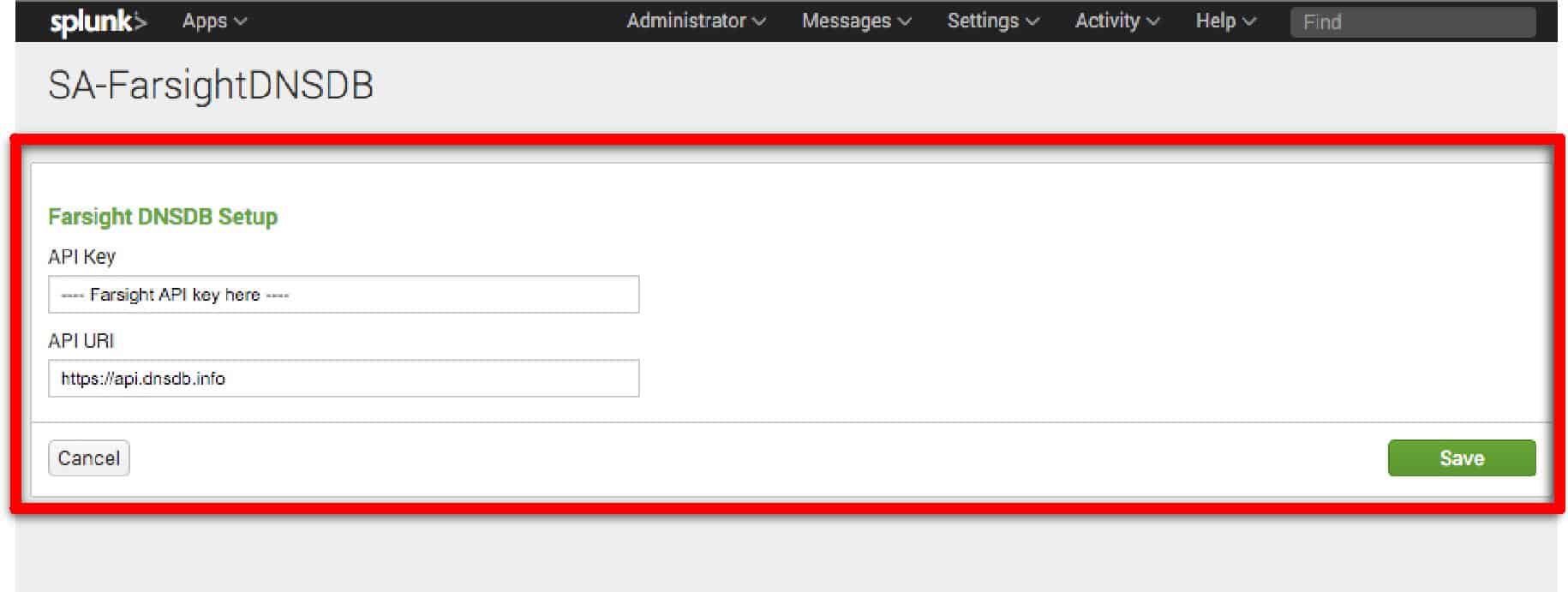
Enter your Farsight API key.
- To inquire about a trial API key please contact the DomainTools sales team.
- If you have licensed DNSDB-Export, please change the API URI to the URI used on your export server.
Click on the Splunk> logo to return to the main screen. To access the App, click on [Farsight DNSDB for Splunk].
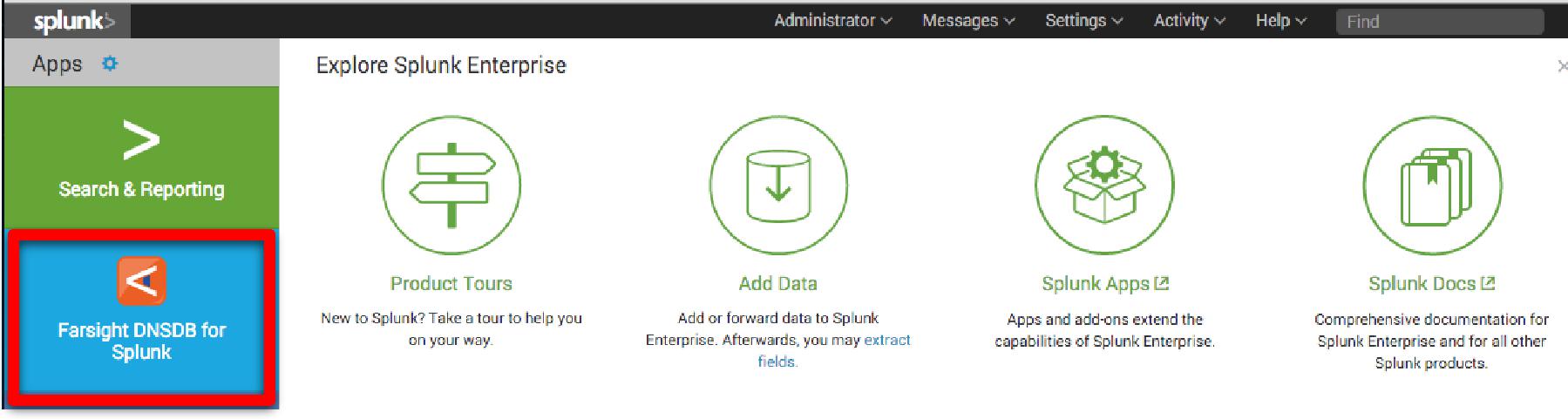
You are now ready to use the Farsight DNSDB for Splunk app.
Enabling Automatic Lookups In Farsight Dnsdb App For Splunk
To provide context for ALL domains and IP addresses within your Splunkinstance, you can enable automatic lookups to ensure the information youmay need will be immediately ready.
Please note that this will cause a high number of DNSDB queries tooccur.
Instructions to enable automatic lookups:
Login to your Splunk Enterprise instance as the administrator user.
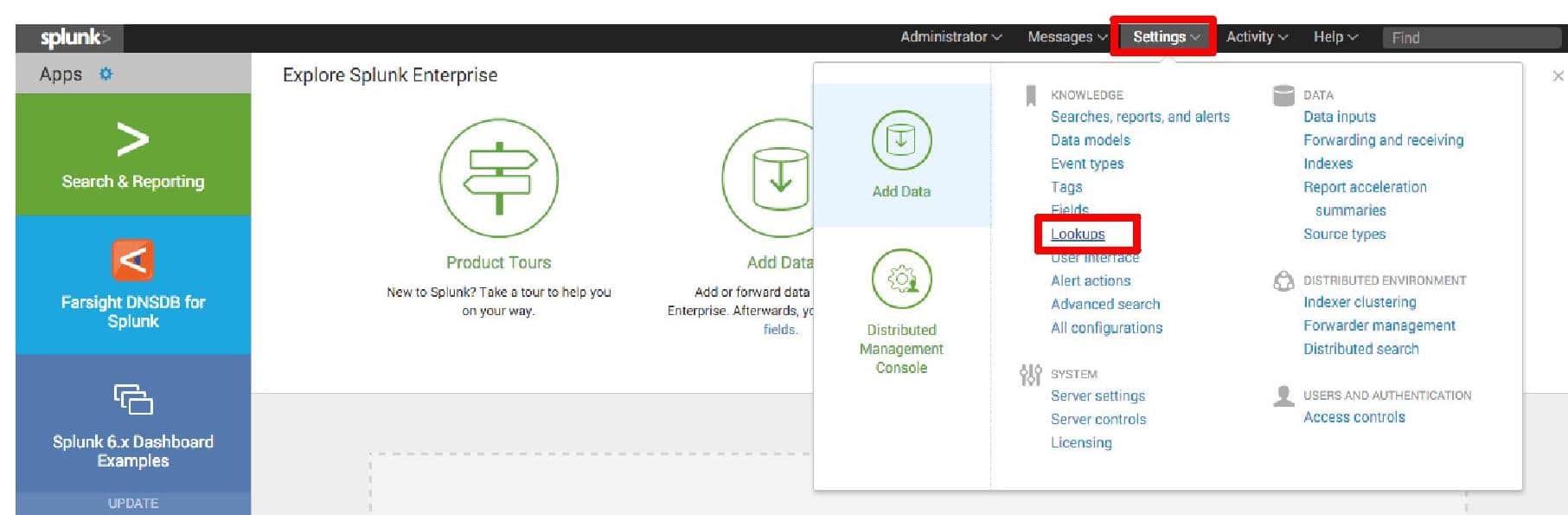
Select Settings from the Top Menu-bar and in the Knowledge section select "Lookups"
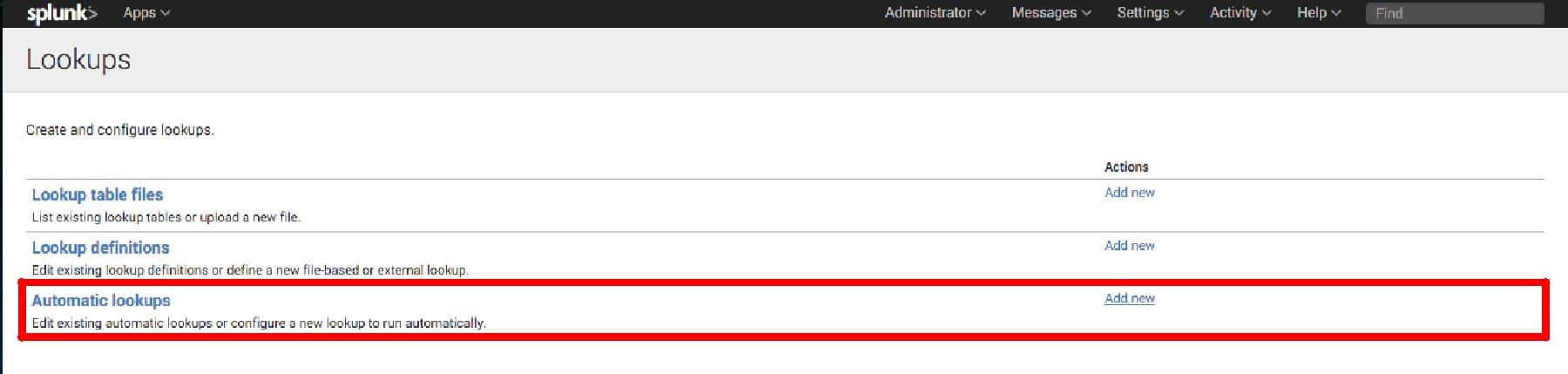
Find "Automatic lookups", click "Add new"
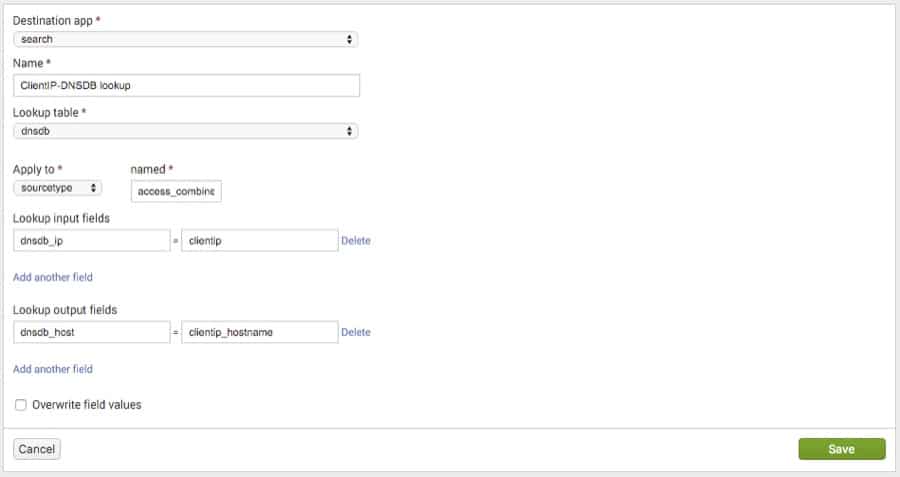
Set the following fields (see attached screenshot for detailed view):
- Destination app: For this example we're going to choose search, you
may wish to select something different. - Name: We're going to call our lookup "ClientIP-DNSDB lookup"
- Lookup table: dnsdb
- Apply to: sourcetype -> access_combined. This example will make use
of combined format weblogs. Select the appropriate for your
application. - Fields: The DNSDB lookup capability has 2 fields dnsdb_host and
dnsdb_ip. One is used as input, the other will automatically be
the output. - Lookup input fields:
- dnsdb_host – When the field you wish to act on is a hostname
- dnsdb_ip – When the field you wish to act on is an IP.- Put the appropriate lookup field in the left-hand input-box. In the
right-hand input box enter the name of the field you wish to
lookup in your event. In our case it is "clientip".
- Put the appropriate lookup field in the left-hand input-box. In the
- Lookup output fields: If the input is a dnsdb_ip the output of
lookup will be called dnsdb_host, put that in the left-hand box.
We want the output to appear in our output as clientip_hostname
so that goes in the right-hand field. - Click [Save]
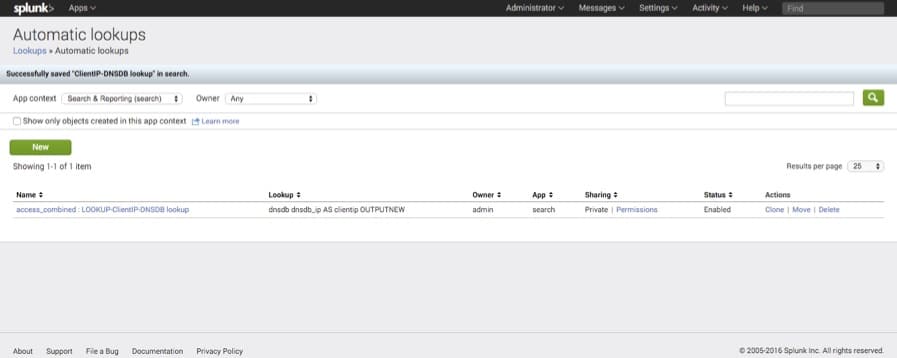
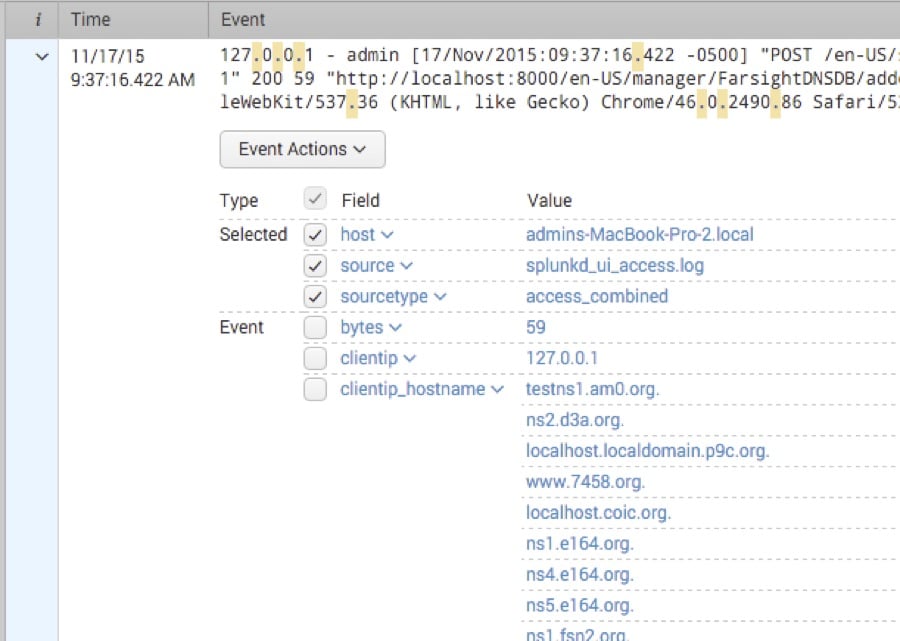
It should look something like this:
Return to the main page and open search.
Search for "."
User Guide
Usage
Once configured, the easiest way to use this app is through the built-inDNSDB dashboard. Choose a time range, type an IP address or hostnameinto the target field and press enter.
Farsight DNSDB for Splunk also comes with two commands and a lookup sothat you can incorporate DNSDB queries into your own searches anddashboards. Below is usage documentation for all three of them.
dnsdb Command
Runs a DNSDB query on the given target. If target is an IP address,query is RDATA. Otherwise, query is RRSET. "before" and "after" fieldscan be supplied optionally to limit the time range of the query.
- Syntax
dnsdb target=**ip/hostname** type=**rdata/rrset**[latest=**latest**]
[rrtype=**A/MX/CNAME/etc] [earliest=**time**]
- Examples
dnsdb target=203.0.113.0/24 type="rdata"
dnsdb target="example.com" latest=1446000216
dnsdblimit command
Returns the DNSDB API query limit per day, the number ofqueries remaining today, as well as the time when the querylimit will next reset.
- Syntax
dnsdblimit
- Example
dnsdblimit
Dnsdb Lookup
Runs dnsdb command on a set of targets.
- Syntax
lookup dnsdb [fields]
- Fields
dnsdb_host, dnsdb_ip
- Example
lookup dnsdb dnsdb_ip AS srcip OUTPUT dnsdb_host
Troubleshooting
*Problem: App returns error "Authorization failed. Check API key".
Cause: API Key is missing or incorrect.
Resolution Check that your API key is entered correctly.
*Problem: App returns error "Query limit reached".
Cause: You have reached your query limit.
Resolution Wait until your limit resets (likely at midnight daily) until making more queries.
Support And Resources
If you need help with the DNSDB Splunk integration, please contact us.
f