
DomainTools' Iris and Farsight's DNSDB Integration


Introduction
Since 2017, DomainTools users have been able to leverage the power of Farsight Security® Inc.'s (now a part of DomainTools) DNSDB Passive DNS service within DomainTools's Iris Investigative Platform. DomainTools supports two DNSDB integration models:
- User Supplied Key: A user can have their DNDSDB API key installed in IRIS for their use - pDNS upgrade package: A user can purchase the Domaintools pDNS upgrade package, which gives them access to DNSDB data using Domaintools API key
Once passive DNS has been activated in your Iris account an additional "pDNS" tab will appear in the bottom right hand corner of the window:
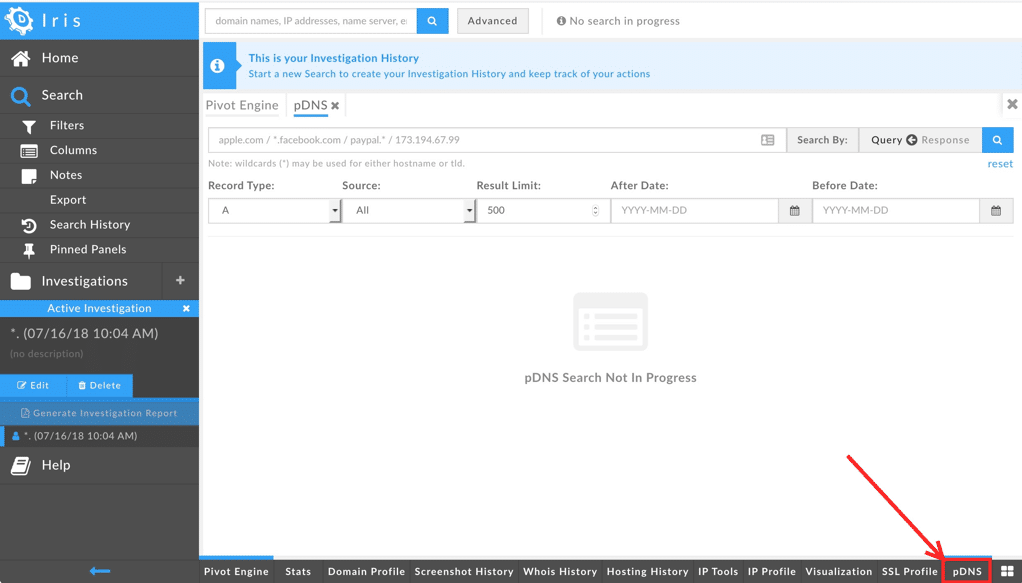
Click on it to see the interface shown. You're then ready to make DNSDBpassive DNS queries from that interface.
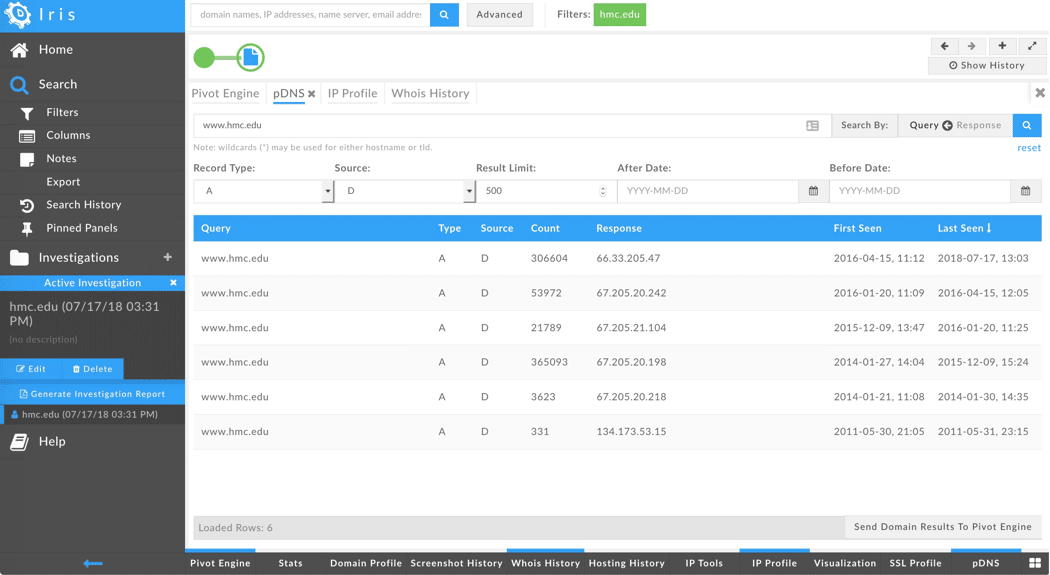
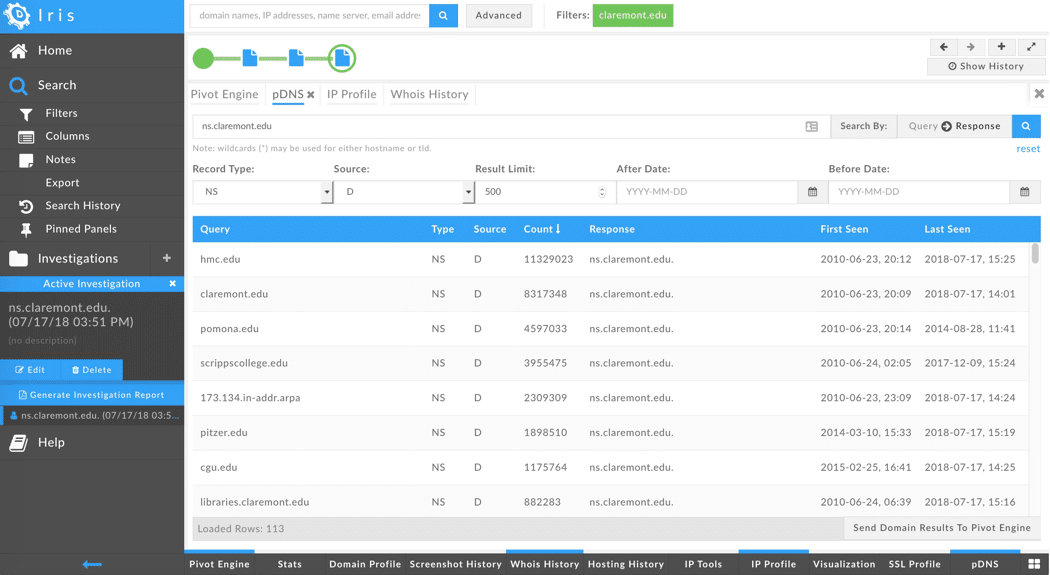
Example Queries and Associated Output
Differences Between The DomainTools Integration And Typical DNSDB API Reference Client Implementations
Users who are already familiar with DNSDB will find accessing passiveDNS from within Iris to be straight forward for the most part, but thereare a few idiosyncrasies you'll nonetheless want to note.
Data Sources
The Iris passive DNS integration was built with the ability to usepassive DNS from more than one passive DNS provider. Users who arepurchasing service through DomainTools can choose "all" sources bydefault, or you can select just a single specific source (such asFarsight's DNSDB, which will always be Source "D" in the interface).
Search Interface

To choose between searching RRnames ("left-hand side" of DNS resourcerecords) vs Rdata ("right-hand side" of DNS resource records), togglethe "Search By" arrow in the upper right area of the window:
- To select left-hand side search set the arrow to point to the left (Query)
- To select right-hand side search set the arrow to point to the right (Query)
- Iris provides a DNSDB record type selector that lists seven enumerated record types (A, AAAA, CNAME, MX, NS, SOA, TXT), and "All". While "All" does include additional record types (such as SPF records, SRV records, TLSA records, etc.), "All" does NOT include every potential DNS record type. For example, DNSSEC-related records are not currently included in the results displayed in the Iris passive DNS interface Right-hand side searches of individual IP addresses are supported. CIDR queries and queries of arbitrary IP address ranges (e.g., 128.223.32.10-128.223.32.45) are not currently supported
- Time fencing is supported in Iris, however, only available in "loose" mode. Loose mode causes a record to be returned if the time last seen for a domain is after a user's specified time in the request. More information on loose mode can be found at Farsight's DNSDB Time Fencing: A Post-Attack "Time Machine" .
- IRIS times are localized, while DNSDB API normally works with UTC times Iris does not currently include the ability for the user to limit results by bailiwick. For an explanation of what a bailiwick is, see What is a Bailiwick?
Results
- The web-based Iris interface returns 500 results by default, and is capped at 50,000 results
- Iris results are displayed in tabular form in the Iris pDNS interface; to swing from the results of one query to another query, right click (or control-click on select operating systems) on a result
- Results can be sorted by clicking on a column heading in the tabular display; click again to reverse that sort
- Domain results found in passive DNS RRname data can be exported to the DomainTools pivot engine. Rdata results are not currently exportable directly to the pivot engine
Pricing
For Pricing and more information about the DomainTools Iris Integration with Farsight's DNSDB please contact: DomainTools 2101 4th Ave, Suite 1150 Seattle, WA 98121 +1-206-838-9020 sales@domaintools.com