

Prioritize and Mitigate Threats More Efficiently with ThreatConnect and DomainTools


ThreatConnect® and DomainTools®, have officially partnered to deliver the DomainTools Iris Investigate Playbook App. By combining the data enrichment and domain monitoring power of DomainTools Iris Investigate with the automation capabilities of ThreatConnect Playbooks, you can now prioritize and mitigate threats more efficiently.
Before we dive into the new Playbook app, we’d like to invite you to a joint webinar on August 20th where ThreatConnect’s Senior Threat Intelligence Researcher, Kyle Ehmke, and DomainTools Senior Product Manager, Sourin Paul, discuss proactive Infrastructure Hunting. Now that that’s out of the way, let’s dive into the integration.
DomainTools Iris Investigate Playbook App
We’ve identified several use cases that this integration will enable; however, this is just the beginning. We fully expect more use cases and needs to be discovered as our joint customers begin to leverage this Playbook App to its fullest. Here is what you can do with this powerful integration:
- Retrieve the DomainTools Risk Scores, Classification, Evidence, and Threats. Then use these as a decision factor for scoring domain indicators or taking further actions.
- Auto-pivot to expand investigation out additional levels by quickly identifying which attributes of a domain name are connected with a relatively small number of other domain names.
- Perform auto-enrichment of domain artifacts that are part of alerts or incidents and Enrich Indicators or processes with Domain Profile information by submitting single or multiple domains at once. The integration provides all of the information available in Iris for each domain as output variables to be used for enrichment or making decisions in automated processes.
- Perform a Reverse Search on one or more search fields, such as IP address, SSL hash, email, or more, and the integration will return Domain Profile information for any domain name with a record that matches the search.
- Build automated processes between analyst work in the Iris UI by monitoring for Search Hash results or matching Tags. Users can begin their investigation in the Iris UI and automatically bring the results into ThreatConnect for further correlation and analysis.
So far, we’ve explained what you can do with this Playbook App, now let’s get into how you do it. To go along with this integration, we built two ready-to-use Playbook templates with plans to release more templates in the future. These following Playbook actions are available:
- Get Single Domain Profile
- Get Multiple Domain Profiles
- Search & Pivot
- Get Search Hash Results
- Parse Domain Profile Results
Available Playbook Templates:
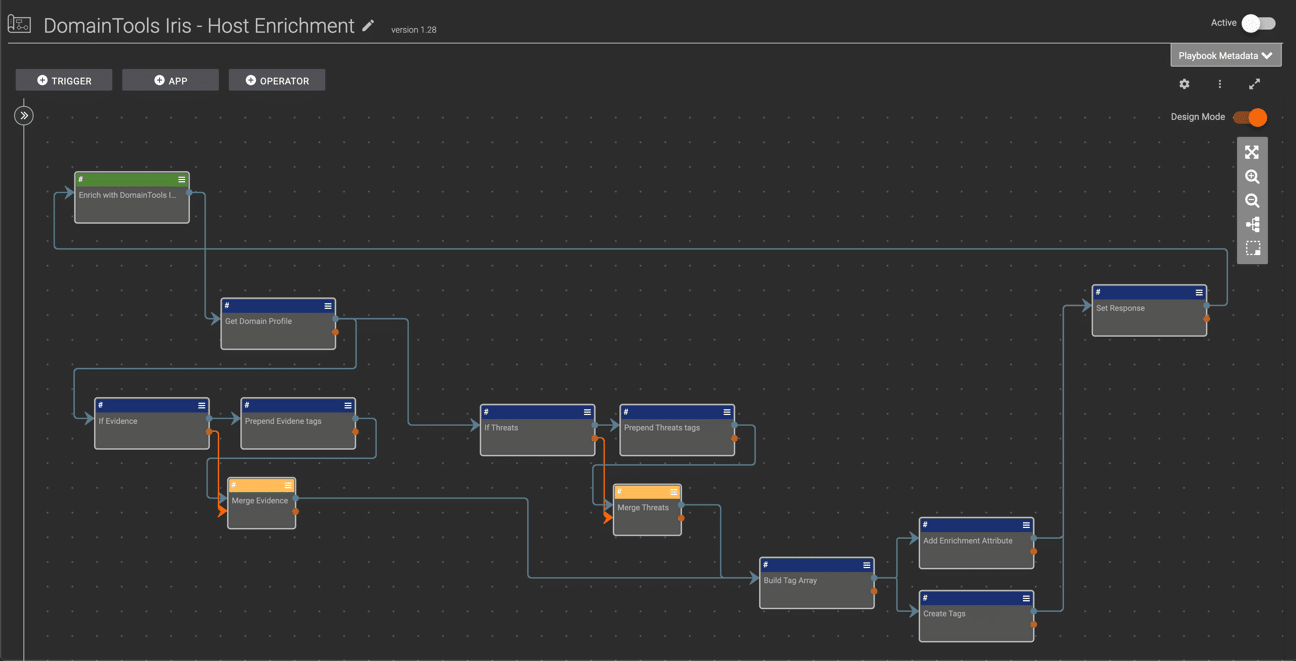
DomainTools Iris – Host Enrichment
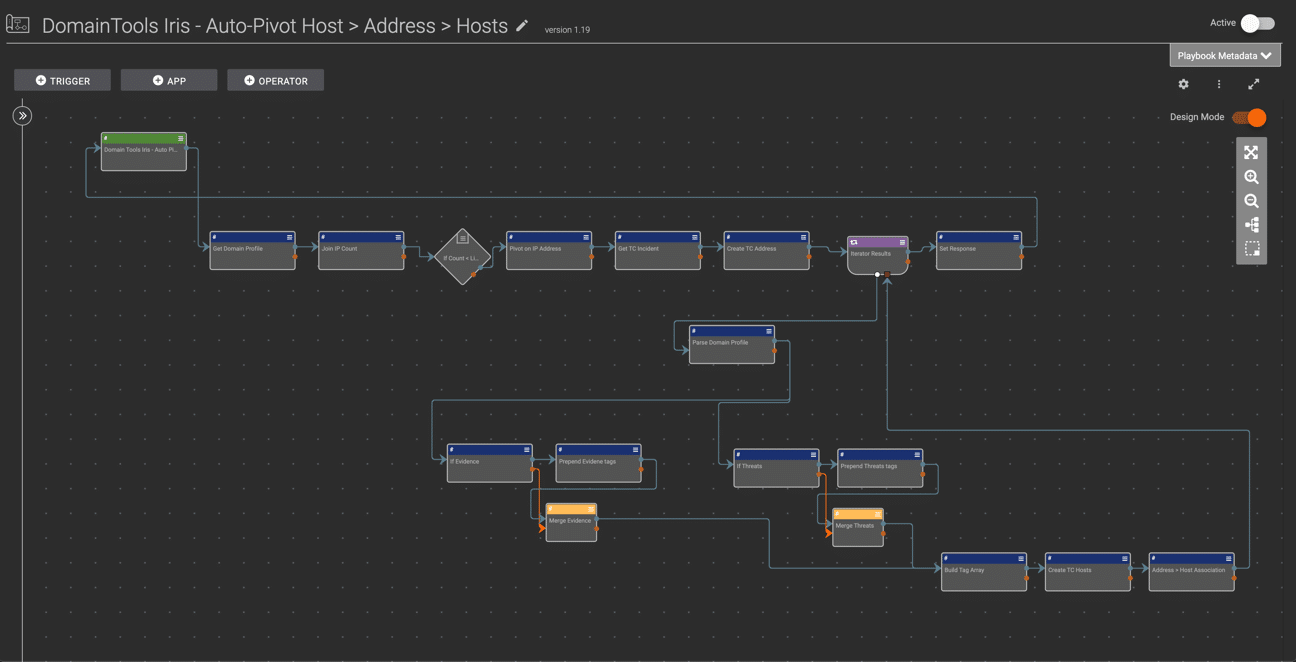
DomainTools Iris – Auto-Pivot Host > Address > Hosts
See An Overview Of The Integration:
So far we’ve explained what you can do, how you can do it, so let’s wrap up with why it’s important. This integration allows researchers and threat hunters to monitor changes in adversary infrastructure and automate investigative and hunting actions. By automating these tasks, you free up human minds for highly-cognitive human tasks.
If you’re a ThreatConnect customer, please reach out to your dedicated Customer Success Team for more information on utilizing the DomainTools Investigate Iris App. If you’re not yet a customer and are interested in ThreatConnect and this integration, contact us at sales@threatconnect.com.


